


Workspace
Chart, activity, tasks, and PnL — drag, resize, and save the layout.
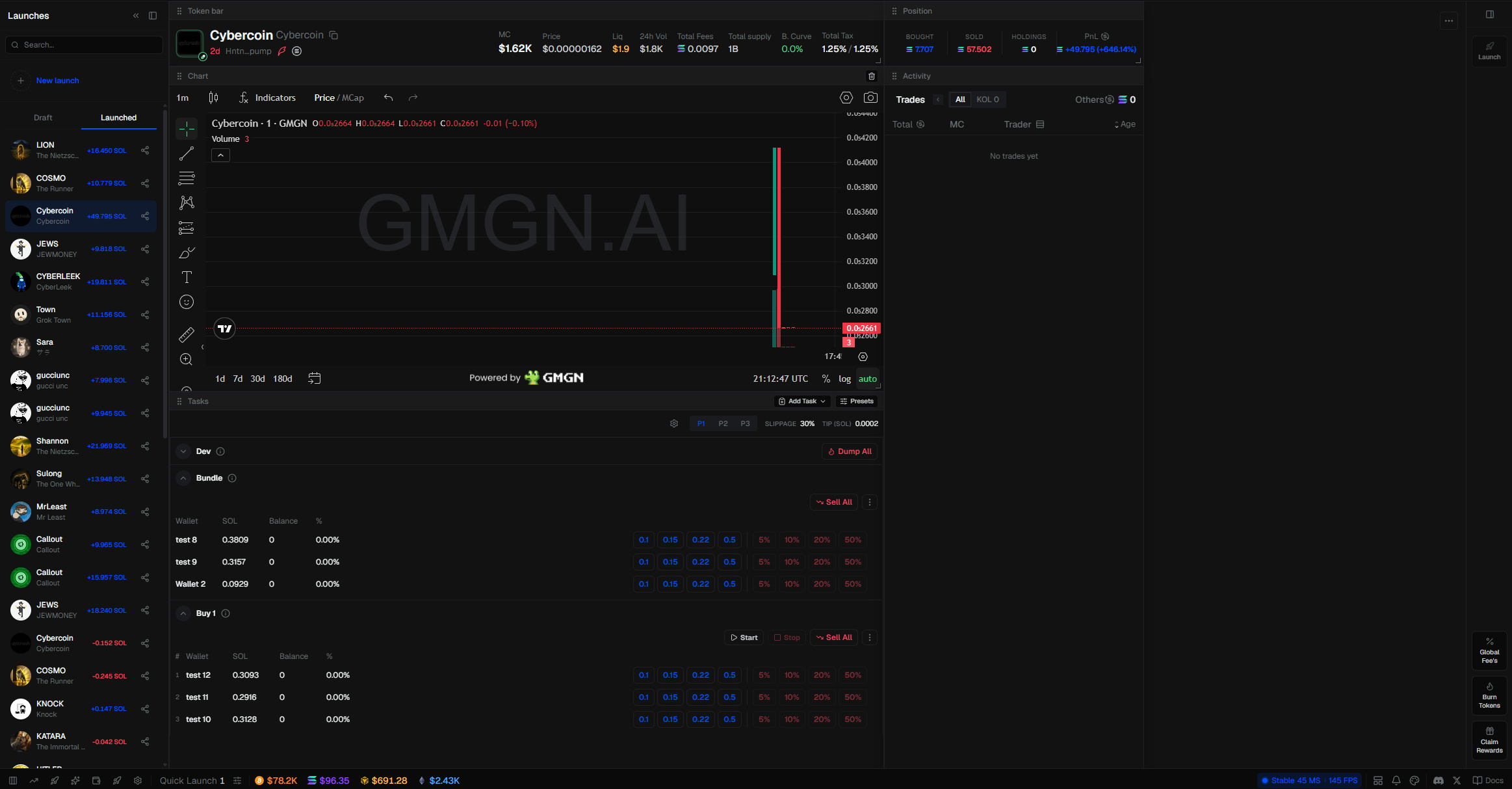
The Launch page is a workspace. Chart, activity, token info, tasks, and PnL are movable.
Drag, resize, hide, or add panels. The layout is saved, so it stays that way next time.
In Settings you can pick UI1 or UI2. UI2 is more of a trading terminal.
Sidebars
Launch has two sidebars. Put each on the left or the right with the switch-side button, or in Settings.
- Draft / Launched — your launches. Draft is in progress, Launched is live. Click one to open it, or New launch to start another
- Options — Launch / Post & Launch, Global Fees, and token actions (lock, send, burn, claim, and more)
You can collapse the launch list from the footer Layout menu or Settings.
Tasks
Add Task for Bundle, Sniper, Buy, Volume, and Wash. Presets saves the whole setup (tasks, pad, buy amount, wallet, fees) so you can load it again or assign it to Quick Launch.
Reset layouts in Settings if you want the default back.