


Launch
Fill in metadata or clone a token, pick a pad, and confirm.
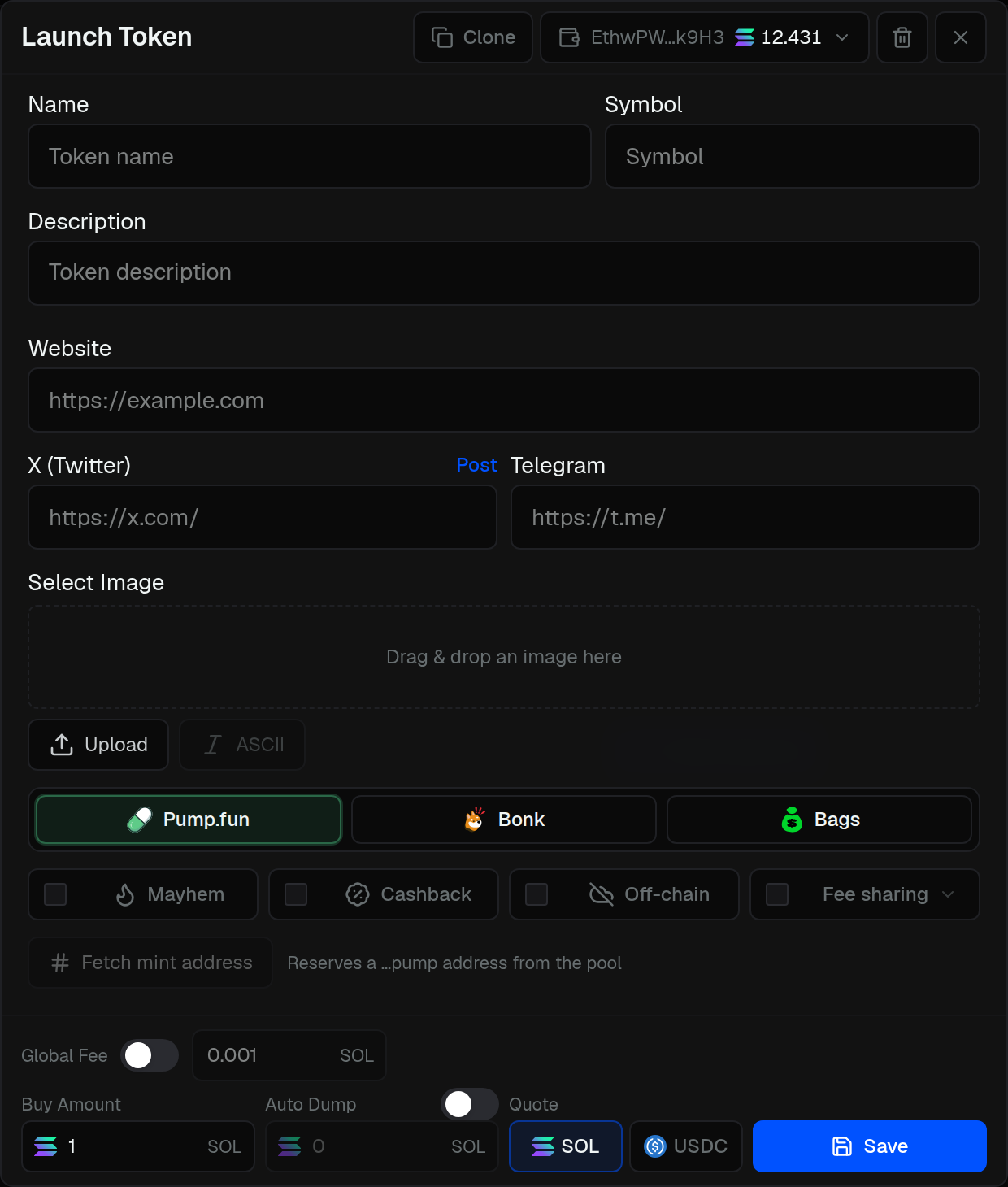
Open Launch to create a token. Save a draft, add tasks, then launch from Options.
- Fill in name, symbol, description, and links
- Or Clone an existing token
- Upload and crop the image
- Pick a launchpad (and pad options if it has them)
- Choose a developer wallet
- Set buy amount and quote
- Save, then Launch from the Options sidebar
Optional: Post to X and use Post & Launch.
Not every pad or option is on every chain — if something is missing, that chain does not support it yet.
Bundle
Buy with the create transaction.
Sniper
Snipe as soon as the token is live.
Buy
Buys from the wallets and order you set.
Volume
Repeated buys and sells.
Wash
Move tokens from dev, bundle, or sniper wallets.
Global Fees
Raise fees on trading terminals.
Workspace
Panels, sidebars, and UI1 / UI2.
Auto-Dump
Dump when external volume hits your mark.
Quick Launch
Launch from a saved preset in one click.
Post to X
Tweet when the token goes live.