


X Tracker
Live posts from tracked accounts, with deploy and name ideas.
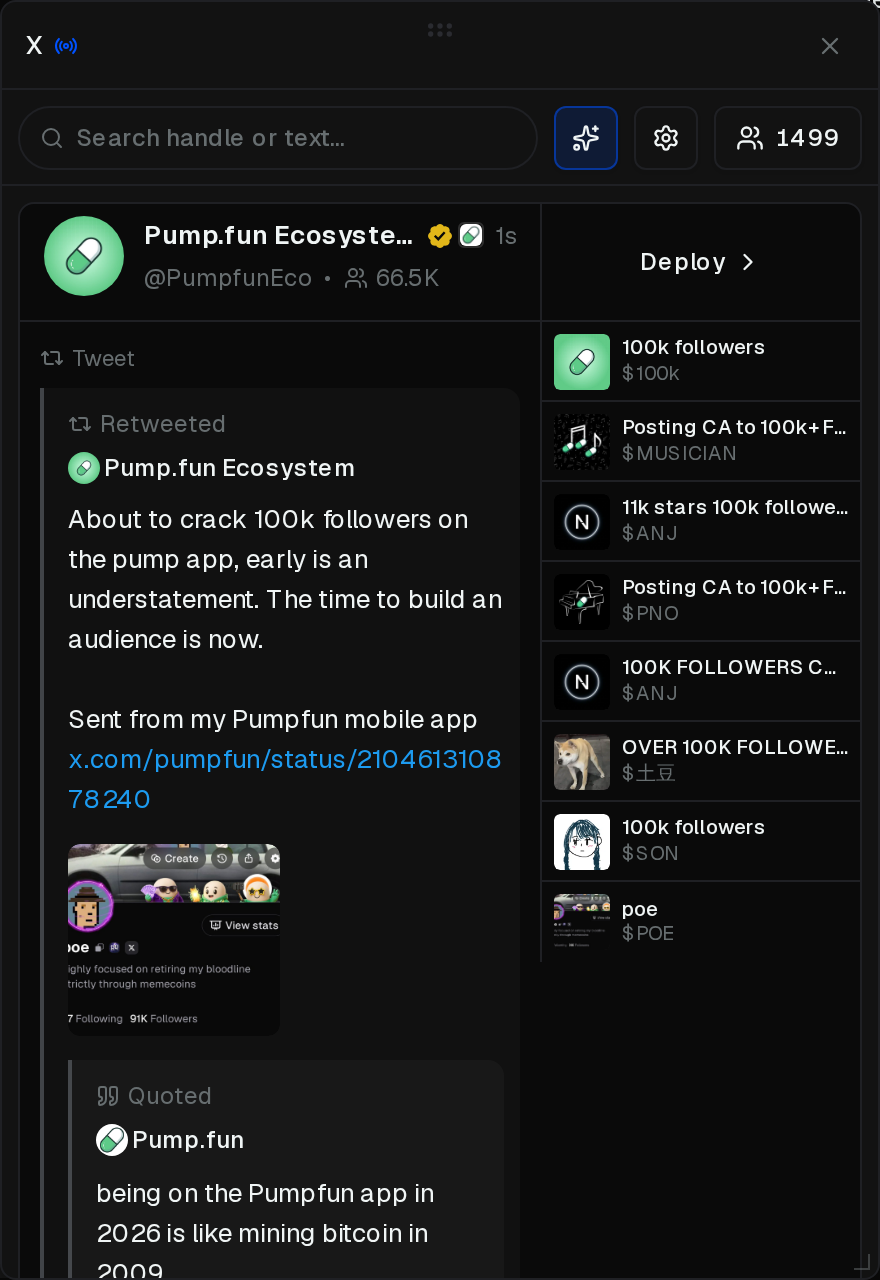
The X button in the footer opens the tracker on any page. You can also toggle it from Layout → Overlays.
- Search by handle or text
- Suggestions — name and ticker ideas beside each post. Click one to open Launch with it filled in
- Deploy opens Launch from that post. Select text in the post to use the selection as the name. A Quick Launch preset can fill the tasks
- Drag the grip to move. Drag to the left or right edge to dock
- Resize from the corner (floating) or the inner edge (docked)
- The account count opens Accounts. The gear opens Settings
- X on the panel closes it
The feed can pause while you hover, after you scroll down, or while Launch is open from a post.
Quick Launch preset
Deploy can load a Quick Launch preset so the tasks are already on the launch.
Add one from the footer. Open the sliders next to Quick Launch, then on slot 1, 2, or 3 choose a Global Preset. Save presets from the Launch tasks panel (Presets).
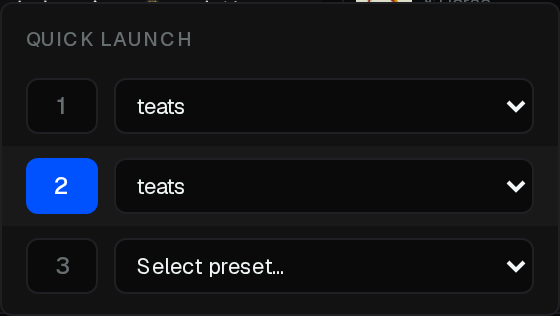
Select it when you deploy. On the rail to the left of Launch, under Preset, pick Off, 1, 2, or 3. That slot’s tasks load in. The choice stays for this chain.

If the slot is empty, Launch asks you to assign a preset first.