


Groups
Name a group and move wallets into it for tasks.
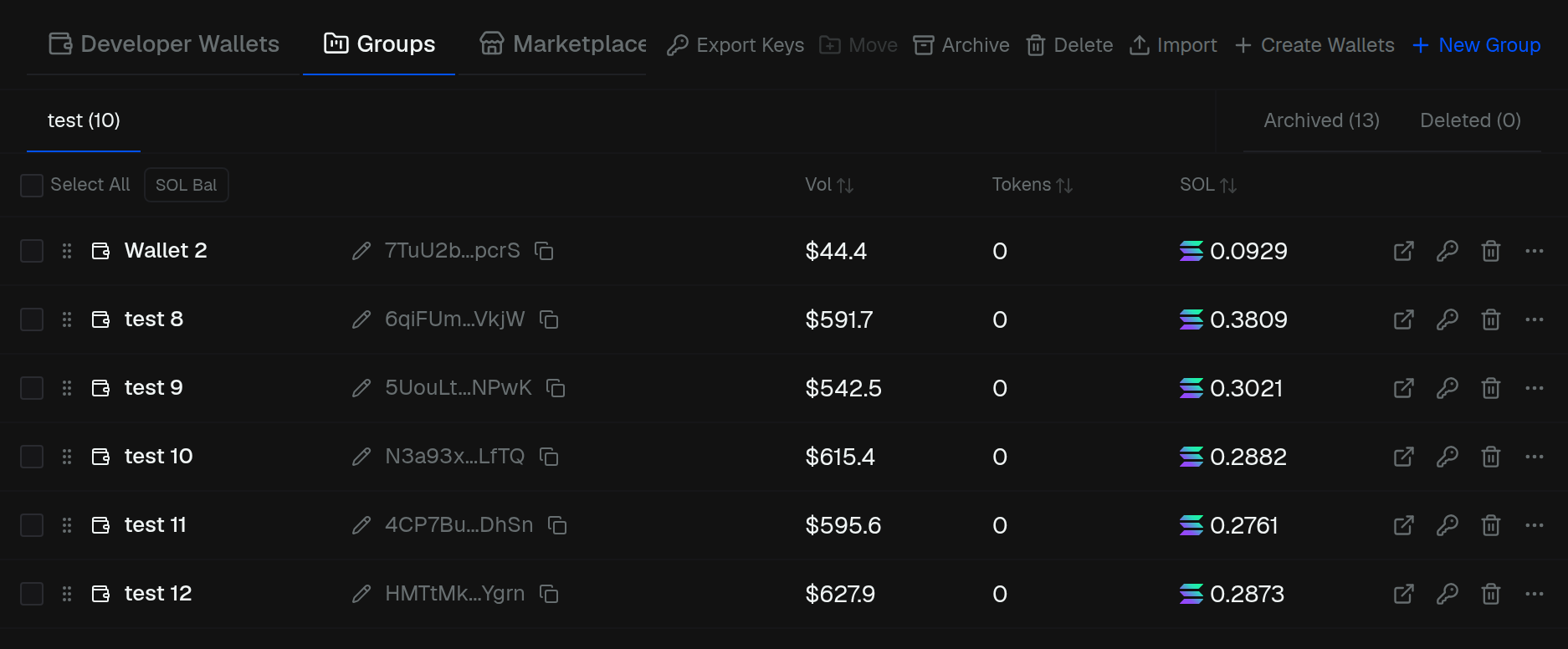
Groups is the middle section on the left. Use a group when a launch task should run from a set of wallets.
- New Group — name it, then it becomes a tab
- Move — send selected wallets to a group, another group, or back to Developer Wallets. You can create a group from the move dialog
- Import / Create Wallets in a group add wallets straight into it
- Archive hides the group
- Delete removes the group. Wallets are not deleted
Archived and deleted groups are their own tabs. Click a chip to restore.