

Filters
Keywords, launchpads, quote tokens, and metrics — per column.
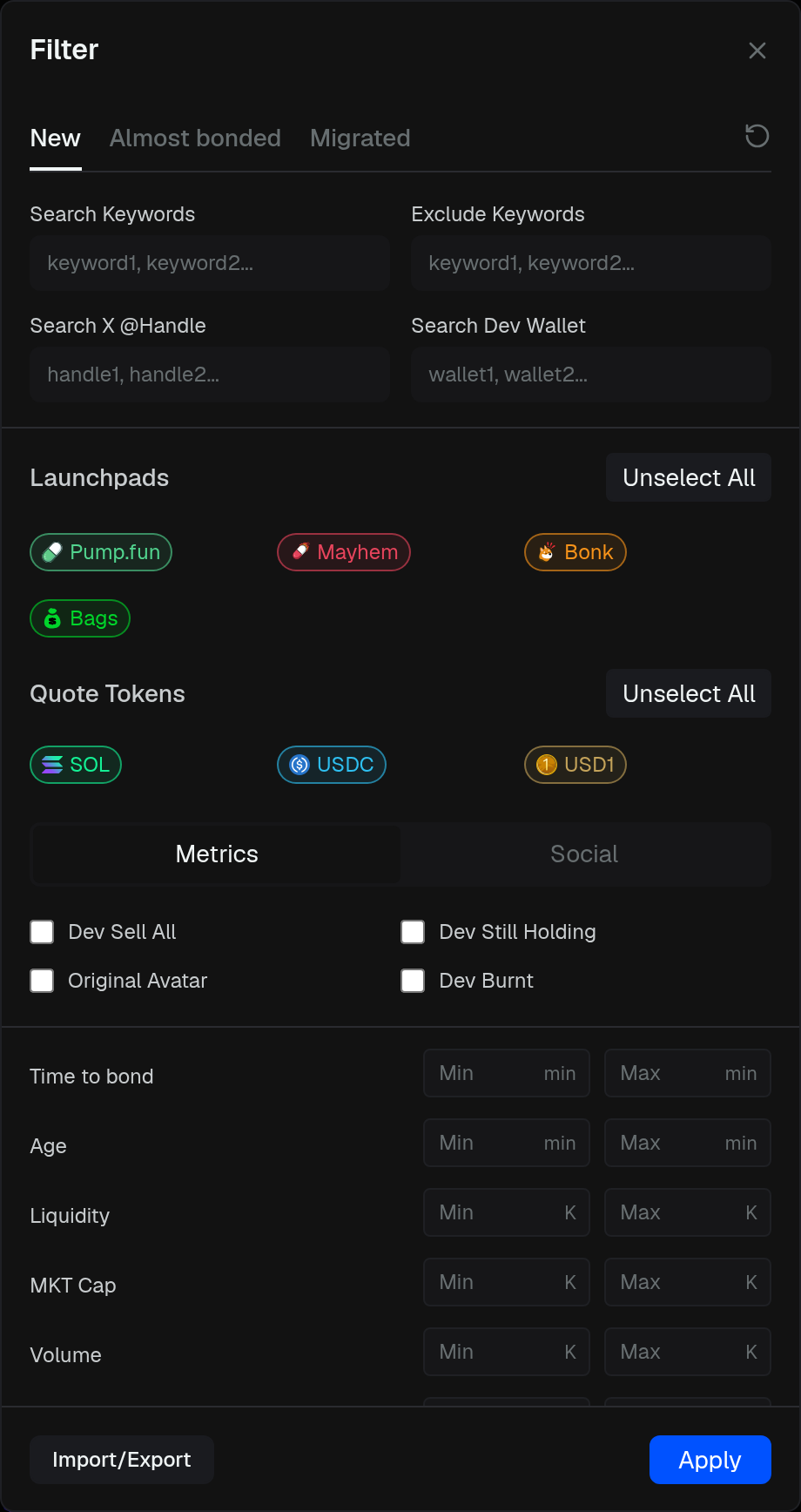
Open Filter from a column toolbar. Each column has its own settings.
- Search Keywords / Exclude Keywords — symbol, name, or address (comma-separated)
- Search X @Handle — Twitter handle
- Search Dev Wallet — creator / contract match
- Launchpads — chips for that chain, plus Select All / Unselect All
- Quote Tokens — SOL, BNB, WETH, stables, and RWA quotes where the chain has them
- metrics — Dev Sell All, Dev Still Holding, Original Avatar, Dev Burnt, plus min / max on age, liquidity, market cap, volume, txs, holders, KOLs, holdings %, and more
Apply saves all three columns. Reset clears the tab you are on. Import/Export shares a filter file.
The social tab is coming soon. A blue dot on the funnel means this column is not on defaults.